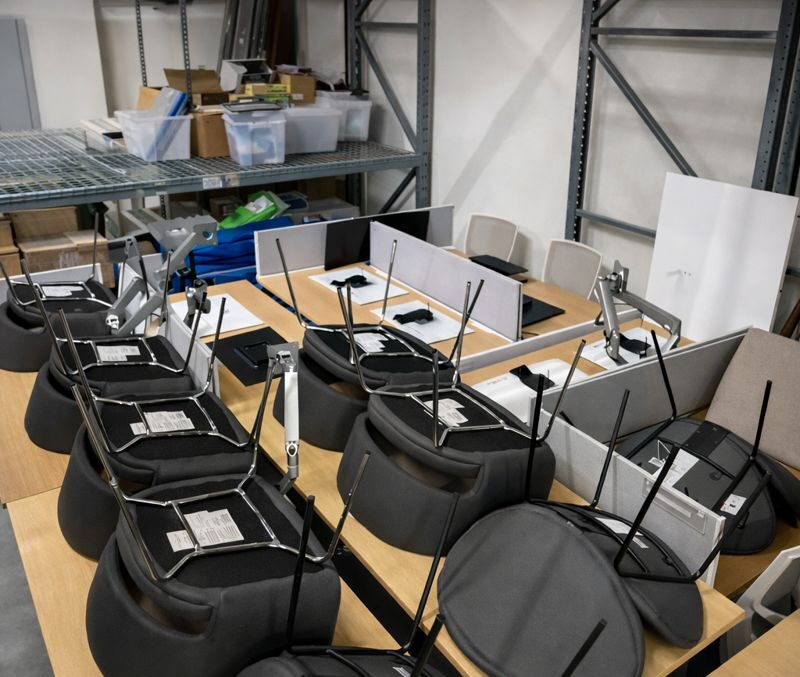
For any business, time is money—and nowhere is this truer than during an office relocation. Every hour of downtime means lost productivity, missed opportunities, and frustrated clients. Whether you’re moving a small startup or a large corporation, the challenge remains the same: how do you relocate an entire office without grinding operations to a halt? Professional moving companies have developed strategies to minimize disruption and keep businesses running smoothly throughout the transition.
The Cost of Downtime
Before diving into solutions, it’s important to understand what’s at stake. Studies show that the average cost of IT downtime alone can reach $5,600 per minute for large enterprises. Add lost employee productivity, delayed projects, and potential customer dissatisfaction, and a poorly planned office move can cost tens of thousands of dollars in a single day.
Small businesses aren’t immune either. Missing client deadlines, being unreachable during business hours, or having key equipment offline can damage reputations that took years to build. The goal isn’t just moving furniture—it’s maintaining business continuity throughout the process.
Strategic Planning: The Foundation of Zero-Downtime Moves
Successful office relocations begin months before moving day. Professional movers work with businesses to create detailed timelines that account for every aspect of the move. This includes inventory assessment, department-by-department relocation schedules, and identification of mission-critical systems that absolutely cannot go offline.
The planning phase involves designating a move coordinator from your staff who works closely with the moving company. This person becomes the liaison between departments, ensuring everyone understands the timeline and their responsibilities. Critical decisions get made early: which departments move first, what can be relocated during off-hours, and what systems require special handling.
Phased Moving: Keeping Operations Running
Rather than shutting down completely, smart businesses opt for phased relocations. This approach moves different departments on different days or shifts operations between locations gradually. For example, customer service might stay at the old location while accounting moves first, then swap once the new space is ready.
Weekend and after-hours moves are staples of business relocations. By scheduling the physical move during non-business hours, companies maintain normal operations during the day. Friday evening through Sunday relocations are particularly popular, giving staff a full weekend to settle in before Monday morning.
Some businesses even maintain dual operations temporarily—keeping essential functions running at the old location while simultaneously setting up at the new one. This overlap period, though more expensive, ensures zero interruption to client-facing services.
Technology Infrastructure: The Critical Component
IT systems present the biggest challenge in office relocations. Servers, phone systems, and network infrastructure must be carefully disconnected, transported, and reinstalled without data loss or extended downtime.
Professional movers coordinate closely with IT teams or external IT specialists to handle technology migrations. Servers might be moved last on Friday night and brought online first thing Saturday morning. Cloud-based systems offer advantages here—businesses can shift to temporary cloud operations during the physical move, then reconnect to on-site servers once everything’s in place.
Phone systems require special attention. Many businesses forward office lines to mobile phones during the move or use virtual phone systems temporarily. Internet connectivity at the new location must be tested and operational before moving day—there’s nothing worse than arriving at your new office to discover the internet won’t be installed for another week.
Color-Coded Systems and Labeling
Organization prevents chaos. Professional movers use color-coded labeling systems that match boxes and furniture to specific departments and even specific locations within the new office. Each department gets a unique color, and floor plans are marked accordingly.
Detailed labeling goes beyond just room assignments. Boxes are numbered and inventoried, with contents listed on manifests. This system ensures nothing gets lost and allows employees to find essential items quickly in the new space. Priority labels identify items needed immediately versus those that can wait.
Essential Box Strategy
Each employee packs an “essentials box” containing everything they need to be operational on day one: computer peripherals, frequently used files, office supplies, and personal items. These boxes move with the employee or are delivered to their new desk first, allowing them to set up and start working immediately.
Conference rooms and common areas are prioritized next. Getting these spaces operational quickly means meetings can resume, clients can visit, and the office feels functional even if individual workstations aren’t perfect yet.
Furniture Installation and Space Planning
Pre-planning furniture layouts prevents wasted time on moving day. Professional movers receive detailed floor plans showing exactly where each desk, chair, and filing cabinet goes. This eliminates the “try it here, no wait, move it there” scenario that wastes hours.
Many businesses hire space planners who design the new office layout months in advance. When movers arrive, they follow a precise blueprint, placing furniture correctly the first time. Some companies even use virtual reality tools to test layouts before the move, ensuring optimal workspace design.
Communication: Keeping Everyone Informed
Clear communication prevents confusion and anxiety. Businesses should inform clients, vendors, and partners well in advance about the move, providing new addresses and potential service adjustments. Internal communications keep employees updated on timelines, their responsibilities, and what to expect.
Setting realistic expectations is crucial. Even with the best planning, small hiccups occur. Transparent communication about potential minor disruptions—and how they’ll be handled—maintains trust and reduces stress.
Post-Move Support and Setup
The move doesn’t end when the truck is unloaded. Professional moving companies often provide unpacking services, helping employees set up workstations and getting departments operational quickly. IT teams verify all systems are functioning, and the move coordinator walks through the space addressing any issues.
A punch list ensures nothing falls through the cracks: missing items, damaged furniture, setup problems, or layout adjustments needed. Addressing these quickly gets everyone back to normal operations.
The Professional Advantage
While DIY office moves might seem cost-effective, they rarely account for the true cost of downtime and lost productivity. Professional movers bring experience, specialized equipment, adequate insurance, and proven systems that keep businesses running. Their expertise in managing complex logistics, handling sensitive equipment, and coordinating large-scale relocations makes them invaluable partners in office transitions.
An office move doesn’t have to mean shutting down. With proper planning, phased execution, and professional support, businesses can relocate smoothly while maintaining operations, protecting their bottom line, and starting fresh in their new space without missing a beat.